Free estimate generator
Fill it in, pick a template and download the PDF. No sign-up, no limits, and your details stay in your browser.
Start from a template
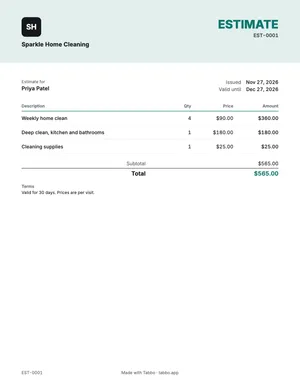
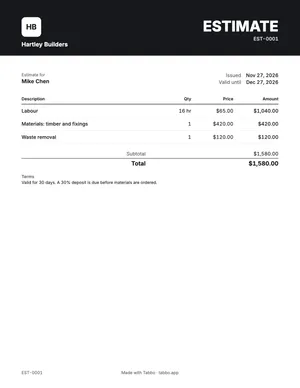
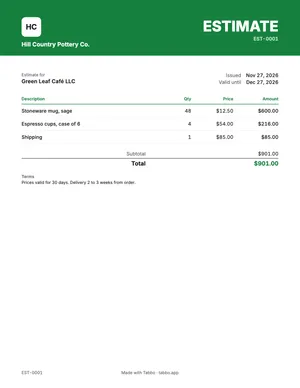
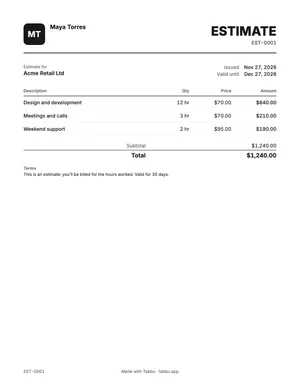
Typical lines for your kind of business, in a template and colour that suit it. Change anything, then download the PDF.
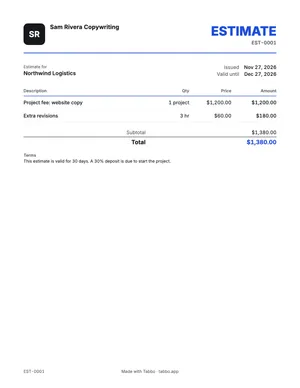
- FreelanceProject fee: website copy · Extra revisions
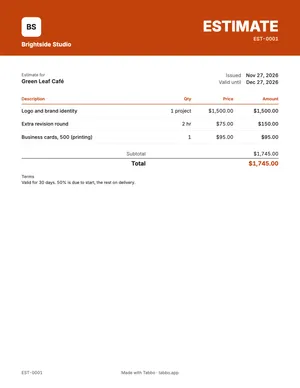
- Graphic designLogo and brand identity · Extra revision round
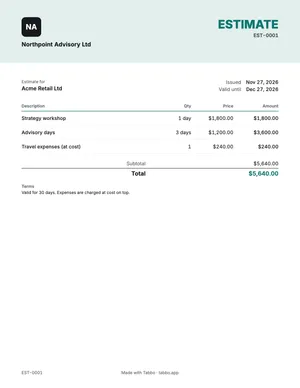
- ConsultingStrategy workshop · Advisory days
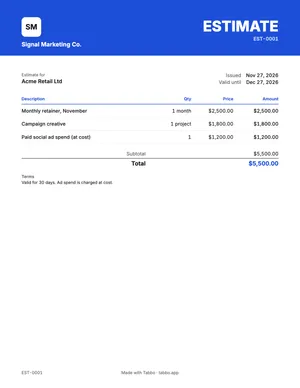
- Marketing agencyMonthly retainer, November · Campaign creative
- CleaningWeekly home clean · Deep clean, kitchen and bathrooms
- ContractorLabour · Materials: timber and fixings
- SalesStoneware mug, sage · Espresso cups, case of 6
- HourlyDesign and development · Meetings and calls
How to make an invoice
- Add your business details and logo. They’re saved in this browser for next time.
- Add who it’s for, the date, and when it’s due.
- Add a line for each product or service, with a quantity and a price. Tax, a discount or a deposit are added for you.
- Pick a template and a colour, then download the PDF and send it.
What goes on an invoice
Most countries ask for the same things. Check your own country’s rules if you’re registered for VAT or GST.
- Your business name, address and contact details, and your tax number if you have one
- Your client’s name and address, and their VAT number for business-to-business sales in many countries
- A unique invoice number, the date, and when payment is due
- What you sold: each product or service, its quantity and price
- The total, with each tax shown separately
- How to pay you
The rules by country: US, UK, Canada, Australia and the EU →
Questions
Is it really free?
Yes. Make and download as many invoices and estimates as you like, with no sign-up and no watermark beyond a small “Made with Tabbo” line.
Where are my details kept?
Only in this browser, on this device. Nothing you type is sent to us. Clearing your browser’s data removes it.
Can I send it from here?
Download the PDF and attach it to an email. To send invoices as a link, see when they’re opened and have reminders chase late payers, use the Tabbo app.
What’s the difference between an estimate and an invoice?
An estimate (or quote) is the price you offer before the work or the sale. An invoice asks for payment once it’s done.
Can I add my logo and company details?
Yes: your logo, your legal name, company number and registered office, your VAT number and your client’s, and their PO number.
Tabbo sends your invoice as a link, tells you when it’s opened, and sends polite reminders until it’s paid. Coming soon to iPhone and iPad.
Join the beta