Freelance invoice template
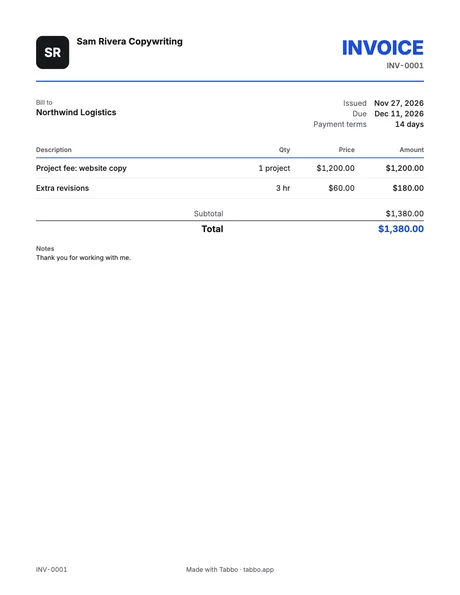
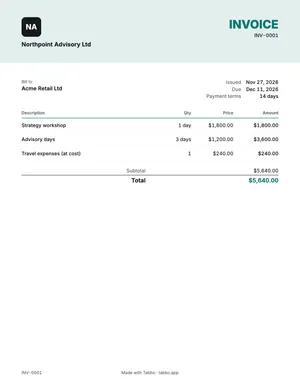
Freelancers bill in every shape: a fixed price for a project, a day rate, or hours tracked over a month. This template starts with a project fee and extra hours, so you can see both.
- Free
- No sign-up
- PDF in seconds
What to put on a freelance invoice
- What you did, in words your client’s accounts team will recognise
- The project or date range the invoice covers
- Your payment terms, for example 14 or 30 days
- Your bank details, or another way to pay you, so nobody has to ask
Questions
Is it really free?
Yes. Make and download as many invoices and estimates as you like, with no sign-up and no watermark beyond a small “Made with Tabbo” line.
Where are my details kept?
Only in this browser, on this device. Nothing you type is sent to us. Clearing your browser’s data removes it.
Can I send it from here?
Download the PDF and attach it to an email. To send invoices as a link, see when they’re opened and have reminders chase late payers, use the Tabbo app.
What’s the difference between an estimate and an invoice?
An estimate (or quote) is the price you offer before the work or the sale. An invoice asks for payment once it’s done.
Can I add my logo and company details?
Yes: your logo, your legal name, company number and registered office, your VAT number and your client’s, and their PO number.
Tabbo sends your invoice as a link, tells you when it’s opened, and sends polite reminders until it’s paid. Coming soon to iPhone and iPad.
Join the beta